Tutorial: a support bot
In this tutorial you build one pipeline from scratch and grow it step by step. It is a support bot: it takes a ticket, works out what it is about, looks for an answer in a knowledge base, and either replies or hands the ticket to a person.
Every node type shows up once, at the point where you actually need it. By the end the graph looks like this:
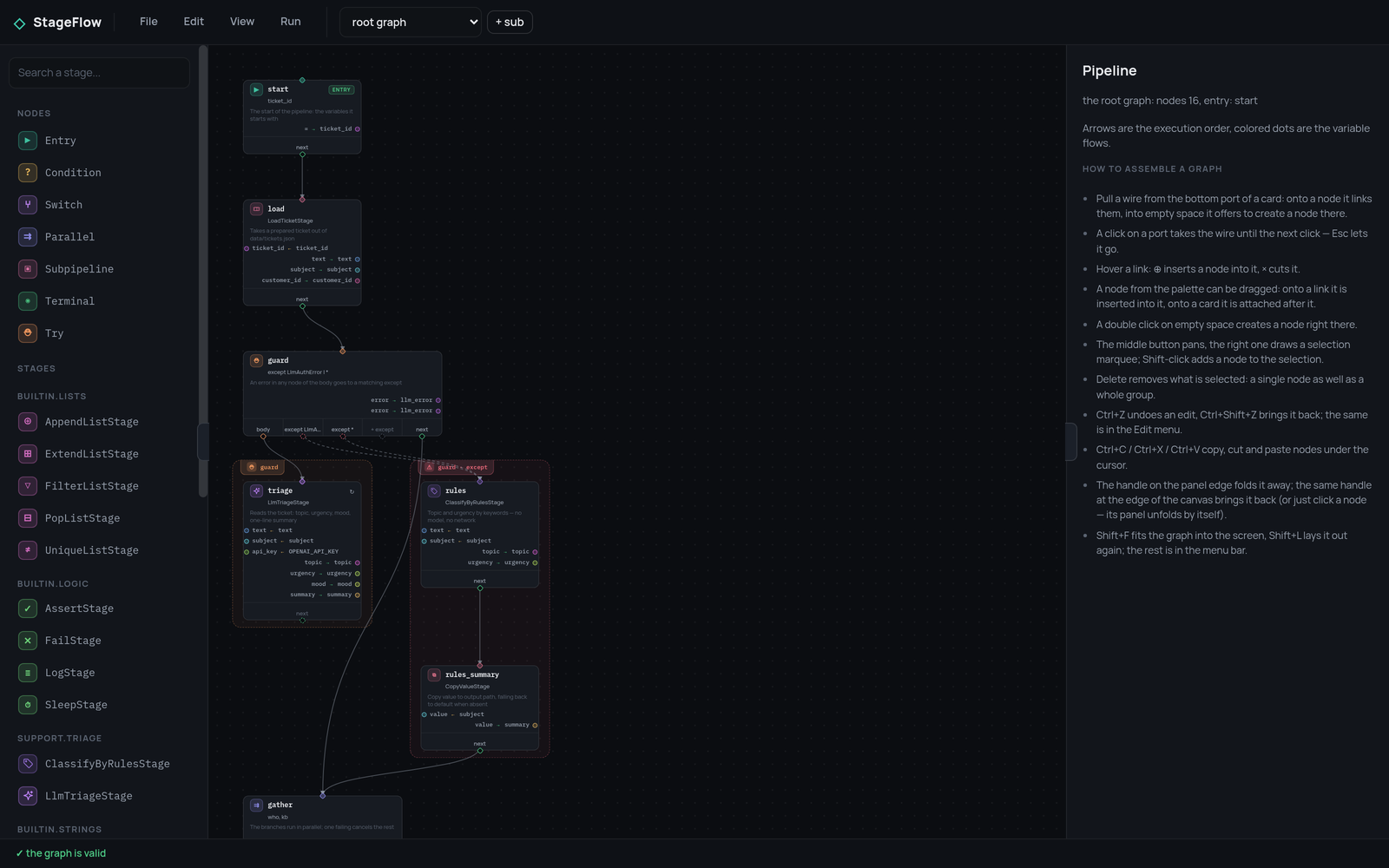
The steps
| Step | What you add | What you learn |
|---|---|---|
| 1. A pipeline that runs | a stage, three nodes | how a stage and a pipeline fit together |
| 2. Data between nodes | a second stage | the frame, arguments, outputs, types |
| 3. Choosing the road | a condition and two endings | branching on a CEL expression |
| 4. Two things at once | parallel branches and a switch | concurrency and n-way routing |
| 5. When a node fails | retry and try/except | errors as part of the graph |
| 6. A graph inside a node | a subpipeline | reusing a graph, isolating a frame |
| 7. Watching it run | the editor and the debugger | stepping through a run |
What you need
The core is enough for steps 1 to 6:
The screenshots come from the StageFlow editor, a web page that draws and debugs a graph. It executes nothing itself: it talks to a backend that holds your stages. If you want to follow along in it, start the example backend:
git clone https://github.com/leo-need-more-coffee/stageflow-example
cd stageflow-example
pip install -r requirements.txt
python main.py                 # http://127.0.0.1:8765
and the editor next to it:
git clone https://github.com/leo-need-more-coffee/stageflow-ui
cd stageflow-ui
npm start                      # http://127.0.0.1:8080
Open http://127.0.0.1:8080, type the backend address on the connection
screen, and use "File" → "Import JSON…" to open the pipeline of the step you
are on.
The finished bot, its stages and its data files are in the example repository. The tutorial builds the same thing, one idea at a time.